




Top 10 Best VPN For Chrome in 2026
Key Takeaways Digital privacy is increasingly challenging due to the expanding internet and IoT landscape. Virtual Private Networks (VPNs) are essential tools for masking IP addresses, encrypting...

Key Takeaways
- Digital privacy is increasingly challenging due to the expanding internet and IoT landscape.
- Virtual Private Networks (VPNs) are essential tools for masking IP addresses, encrypting internet traffic, and protecting sensitive data from malicious actors.
- Choosing the right VPN for Chrome involves evaluating factors such as strong encryption, no-logs policies, speed, server locations, ease of use, customer support, and additional features.
- Several premium VPN services offer robust security and performance tailored for Chrome users, each with unique strengths in areas like speed, server count, and advanced features.
In today’s interconnected world, where the internet and a myriad of IoT devices are ubiquitous, maintaining digital privacy has become a significant challenge. The constant evolution of technology and network infrastructure means that sensitive personal and corporate data shared online is a prime target for cybercriminals.
Table Of Content
- Key Takeaways
- What Is A VPN?
- How To Choose A VPN?
- What’s The Best VPN?
- How Do We Test VPNs?
- Why We Picked It?
- Who It’s For?
- What Makes A Great VPN?
- Why Is A VPN Required?
- What VPN Protocols Are There?
- Are Free VPNs Safe?
- Is It Illegal To Have A VPN?
- What Are The VPN Dos And Don’ts?
- What Is The Difference Between Business And Personal VPN?
- Here Are Our Picks For The Best VPNs For Chrome 2026
- Best VPNs for Chrome 2026 and their Features
- 1. NordVPN
- Why We Picked It?
- Security and Privacy
- Customer Support
- Why Do We Recommend It?
- How to Install It?
- How to Configure a VPN?
- Performance and Speed
- Streaming
- Compatibility
- Number of Servers
- Speed
- Max Connections
- 24/7 Live Chat
- 2. Surfshark
- Why We Picked It?
- Security and Privacy
- Customer Support
- Why Do We Recommend It?
- How to Install It?
- How to Configure a VPN?
- Performance and Speed
- Streaming
- Compatibility
- Number of Servers
- Speed
- Max Connections
- 24/7 Live Chat
- 3. ExpressVPN
- Why We Picked It?
- Security and Privacy
- Customer Support
- Why Do We Recommend It?
- How to Install It?
- How to Configure a VPN?
Data protection is paramount; even a minor security lapse can escalate into a major phishing campaign, causing substantial harm to individuals and entire organizations. Every website visited logs a user’s IP address, revealing their online location. To safeguard one’s digital identity, masking the true IP address is crucial, a function effectively performed by a Virtual Private Network (VPN).
This article delves into the functionality of VPNs, specifically highlighting the top VPN services optimized for Google Chrome in 2026. Employing a suitable VPN can effectively shield users from those intent on data theft, identity theft, and other malicious online activities.
What Is A VPN?
A Virtual Private Network (VPN) establishes a secure, encrypted tunnel over an inherently less secure network, such as the public internet. It functions by routing a user’s internet traffic through a remote server and masking their actual IP address, thereby enabling private and secure data transmission. This process ensures that data remains confidential and protected from unauthorized access, eavesdropping, and hacking attempts, significantly enhancing online privacy, security, and anonymity.
VPNs are widely utilized for various purposes, including accessing geographically restricted content, securing data when connected to public Wi-Fi networks, and facilitating secure remote access to corporate resources.
How To Choose A VPN?
Selecting an appropriate VPN service requires careful consideration of several key factors:
- Security and Privacy: Prioritize VPNs that offer robust encryption, such as AES-256, alongside a strict no-logs policy. Essential security features like a kill switch (to prevent data leaks if the VPN connection drops) and DNS leak protection are also vital.
- Speed and Performance: Opt for a VPN with high-speed servers that minimize impact on your internet connection, especially if your activities involve streaming or online gaming.
- Server Locations: A wide distribution of server locations allows access to content from diverse regions and generally ensures better connection stability and speed.
- Ease of Use: A user-friendly interface, straightforward setup process, and compatibility across multiple devices and operating systems contribute to a positive user experience.
- Customer Support: Reliable customer support, including 24/7 live chat, email assistance, and comprehensive help resources, is important for resolving any issues promptly.
- Cost: Evaluate pricing plans to ensure the VPN offers good value. Many providers offer free trials or money-back guarantees for testing.
- Reputation and Reviews: Researching independent reviews and user feedback provides insights into a VPN’s reliability, performance, and overall customer satisfaction.
- Additional Features: Consider extra functionalities like split tunneling (to route some traffic through the VPN and some directly), multi-hop connections (for enhanced security), and P2P sharing support, if these are important for your use case.
What’s The Best VPN?
The “best” VPN is subjective, depending on individual user requirements and preferences. However, by adhering to the characteristics outlined above, consumers can identify the most suitable VPN. A balance of extensive features and affordability is generally the ideal combination. Our analysis suggests that several VPNs excel in functionality and value, making them prime candidates for the top choice, which we will explore further.
How Do We Test VPNs?
Our testing methodology for VPNs begins with downloading trial versions to assess their suitability for personal use against a defined set of criteria. During this evaluation, we examine the number of available servers and measure connection speeds across various international locations. We also verify the presence of fundamental security measures and confirm compatibility with multiple devices and operating systems.
Why We Picked It?
Our selection of the best VPN services for Chrome is based on their proven track record and the comprehensive range of features they offer. Key criteria included user trust, transparent data handling practices, and the efficiency of their data routing through global servers.
Who It’s For?
VPNs are designed for anyone who wishes to conceal their IP address online. The technology effectively masks your IP, providing protection against hacking, particularly when connecting to unsecured public networks in places like cafes, airports, or libraries. While modern browsers offer encryption for most websites, an additional layer of security via a VPN is always recommended for enhanced privacy.
Beyond security, many users leverage VPNs to bypass geographical restrictions, enabling access to content on platforms like Netflix or playing region-locked games.
What Makes A Great VPN?
A superior VPN delivers a feature-rich experience without compromising security, all at a competitive price point. Essential attributes include broad device compatibility and a global server presence. A high-quality VPN must maintain fast connection speeds, especially for streaming services, as many users rely on VPNs to access geo-restricted content. Furthermore, excellent customer support that can quickly address issues is crucial. Given that all internet traffic flows through the VPN, transparent data handling policies, ideally verified by independent cybersecurity specialists, are paramount for user trust.
Why Is A VPN Required?
- Privacy Protection: VPNs encrypt your internet connection, shielding your online activities from monitoring by Internet Service Providers (ISPs), government agencies, and potential hackers.
- Security on Public Wi-Fi: When using public Wi-Fi, VPNs establish a secure connection, protecting your data from various cyber threats and attacks.
- Bypass Geo-Restrictions: VPNs allow users to circumvent geographical content blocks, providing access to streaming services, social media platforms, and websites restricted by location.
- Anonymity Online: By obscuring your IP address, a VPN enhances online anonymity, making it harder for websites and advertisers to track your browsing habits.
- Safe Remote Access: For businesses and remote workers, VPNs are vital for securely accessing corporate networks and resources.
What VPN Protocols Are There?
- OpenVPN: Highly secure and adaptable, supporting various encryption standards. Its open-source nature allows for peer review and transparency.
- L2TP/IPsec (Layer 2 Tunneling Protocol with Internet Protocol Security): Offers strong security and is frequently used for establishing secure site-to-site connections.
- PPTP (Point-to-Point Tunneling Protocol): Known for ease of setup and speed, but provides weaker security compared to modern protocols.
- IKEv2/IPsec (Internet Key Exchange version 2 with IPsec): Valued for its speed, stability, and robust security, particularly beneficial for mobile users due to its ability to quickly re-establish connections.
- SSTP (Secure Socket Tunneling Protocol): Seamlessly integrates with Windows operating systems and offers strong encryption.
- WireGuard: A newer protocol recognized for its simplicity, impressive speed, and use of contemporary cryptographic standards.
- SoftEther: An open-source, multi-protocol VPN software capable of supporting SSL-VPN and other protocols like OpenVPN and L2TP/IPsec.
- SSL/TLS (Secure Sockets Layer/Transport Layer Security): Primarily used for securing web traffic, commonly implemented in SSL VPNs.
- MPLS (Multiprotocol Label Switching): Often deployed by enterprises to ensure secure, private connections across geographically dispersed locations.
Are Free VPNs Safe?
- Privacy Concerns: Many free VPNs operate with questionable privacy policies, often logging and selling user data to third parties.
- Security Risks: Free VPN services typically lack robust security features, making them more vulnerable to hacking attempts and malware.
- Limited Features: Users often experience restricted bandwidth, fewer server locations, and slower speeds compared to paid VPN subscriptions.
- Advertisements and Malware: Some free VPNs may display intrusive advertisements or even bundle malware, compromising device security.
- Unreliable Service: Free VPNs can suffer from frequent disconnections, limited customer support, and inconsistent performance.
Is It Illegal To Have A VPN?
- Generally Legal: In the majority of countries, using a VPN is entirely legal and is a common practice for enhancing privacy and security.
- Restricted in Some Countries: Certain nations, including China, Russia, and Iran, impose restrictions or outright bans on the use of unauthorized VPN services.
- Terms of Service Violations: While legal, using a VPN to bypass geo-restrictions might violate the terms of service of specific online platforms, such as streaming providers.
- Illegal Activities Remain Illegal: It is crucial to understand that using a VPN does not legalize illicit online activities; any illegal actions performed while using a VPN are still subject to legal repercussions.
- Employer and Institutional Policies: Some workplaces or educational institutions may have policies prohibiting VPN use on their networks or devices without explicit permission.
What Are The VPN Dos And Don’ts?
| Dos | Don’ts |
|---|---|
| Use a reputable VPN provider | Use free VPNs without researching their policies |
| Regularly update your VPN software | Ignore VPN updates |
| Enable the kill switch feature | Disable the kill switch feature |
| Use strong, unique passwords for VPN accounts | Reuse passwords across multiple accounts |
| Verify the VPN’s privacy policy | Assume all VPNs keep no logs |
| Use VPN for public Wi-Fi security | Use VPN to bypass illegal content restrictions |
| Check for multi-device support | Forget to secure all devices with the VPN |
| Ensure VPN encryption is strong (AES-256) | Use outdated or weak encryption methods |
| Choose a VPN with a no-logs policy | Ignore the VPN’s logging and privacy practices |
| Test VPN connection regularly | Assume the VPN is always working correctly |
What Is The Difference Between Business And Personal VPN?
| Feature | Business VPN | Personal VPN |
|---|---|---|
| Purpose | Secure communication for multiple users in a business | Secure internet access for individual use |
| User Management | Centralized user management and access controls | No centralized user management |
| Scalability | Designed to support large-scale operations | Typically, for single-user or small-scale use |
| Security Features | Advanced security features, compliance tools | Standard security features |
| Support | Priority customer support, dedicated account managers | Standard customer support |
| Cost | Generally higher, subscription-based | Generally lower, subscription-based or one-time |
| Use Case | Remote work, secure intra-office communication | Personal privacy, accessing geo-restricted content |
| Device Support | Multiple devices, including corporate hardware | Personal devices like smartphones, tablets, PCs |
| Customization | Highly customizable to meet business needs | Limited customization |
| Performance | Optimized for business workloads | Optimized for personal browsing and streaming |
Here Are Our Picks For The Best VPNs For Chrome 2026
- NordVPN: Offers high speed and robust security with features like double VPN, CyberSec, and a strict no-logs policy for maximum privacy.
- Surfshark: Provides unlimited device connections, an effective ad-blocker (CleanWeb), and strong encryption for secure browsing.
- ExpressVPN: Known for its high-speed servers, split tunneling, strong encryption, and 24/7 customer support.
- CyberGhost: Features a user-friendly interface, servers optimized for streaming, and comprehensive privacy features for smooth online experiences.
- Hotspot Shield: Delivers fast connections using its proprietary Catapult Hydra protocol and military-grade encryption for secure browsing.
- Atlas VPN: Includes strong security features, SafeSwap servers for rotating IP addresses, and unlimited connections for enhanced online privacy.
- Private Internet Access VPN: Boasts a large server network, advanced security features, and a strict no-logs policy for secure browsing.
- IPVanish: Offers high-speed connections, a no-logs policy, and advanced encryption for secure and private browsing.
- Windscribe: Provides a generous free plan, ad-blocking capabilities, and robust privacy features for secure internet access.
- Proton VPN: Features strong encryption, a no-logs policy, and high-speed servers for secure and anonymous browsing.
Best VPNs for Chrome 2026 and their Features
| VPNs for Chrome | Features | Stand-alone feature | Pricing | Free Trial / Demo |
|---|---|---|---|---|
| 1. NordVPN | 1. Smart DNS 2. P2P help 3. Router software 4. Public DNS 5. Protocol for light ways 6. The TrustedServer system |
High-speed servers with strong encryption | From $3.29 per month | Yes |
| 2. Surfshark | 1. Safe code-breaking 2. No records policy 3. The worldwide server network 4. CleanWeb blocks ads. 5. MultiHop 6. Switch Off |
Unlimited devices and ad blocker | From $2.49 per month | Yes |
| 3.Express VPN | 1. Smart DNS 2. P2P help 3. Router software 4. Public DNS 5. Protocol for lightways 6. The TrustedServer system |
Fast, reliable, and user-friendly | From $6.67 per month | No |
| 4. CyberGhost | 1. Strong security 2. Simultaneous connections 3. Large network of servers 4. Servers that work well for streaming 5. Support for torrenting |
Optimized servers for streaming services | From $2.19 per month | Yes |
| 5. Hotspot Shield | 1. Bandwidth with no limits 2. Mode for private reading 3. Dedicated IP 4. Support for many platforms 5. Easy to use and join with just one click 6. Servers that work well for streaming |
Patented Catapult Hydra technology | From $7.99 per month | Yes |
| 6. Atlas VPN | 1. SafeBrowse 2. There are server sites in more than one country 3. There are limits on the free level. 4. Connections that are fast and stable 5. A simple and easy-to-use design 6. Support for many platforms |
SafeSwap for rotating IP addresses | From $1.82 per month | Yes |
| 7. Private Internet Access VPN | 1. No-logs policy for increased privacy. 2. Fast and reliable connection speeds. 3. Automatic kill switch for privacy protection. 4. DNS leak protection. 5. A large network of servers |
Customizable security and privacy settings | From $2.03 per month | No |
| 8. IPVanish | 1. Zero traffic logs for increased privacy. 2. Fast and reliable connection speeds. 3. Unlimited bandwidth. 4. DNS leak protection 5. Splitting tunnels |
High-speed connections with no logs | From $3.33 per month | Yes |
| 9. Windscribe | 1. No-logs policy for increased privacy. 2 Ad and tracker blocking. 3. Firewall for added security. 4. R.O.B.E.R.T. feature for advanced content blocking. 5. Unlimited simultaneous connections. |
A generous free tier with strong privacy | From $9.00 per month | Yes |
| 10. Proton VPN | 1. Architecture with a secure core 2. Strong encryption protocols. 3. Secure Core architecture for added security. 4. Privacy court in Switzerland 5. Good free plan with some restrictions. |
Secure Core servers and no logs | From $4.99 per month | Yes |
1. NordVPN
Year: 2012
Location: Panama
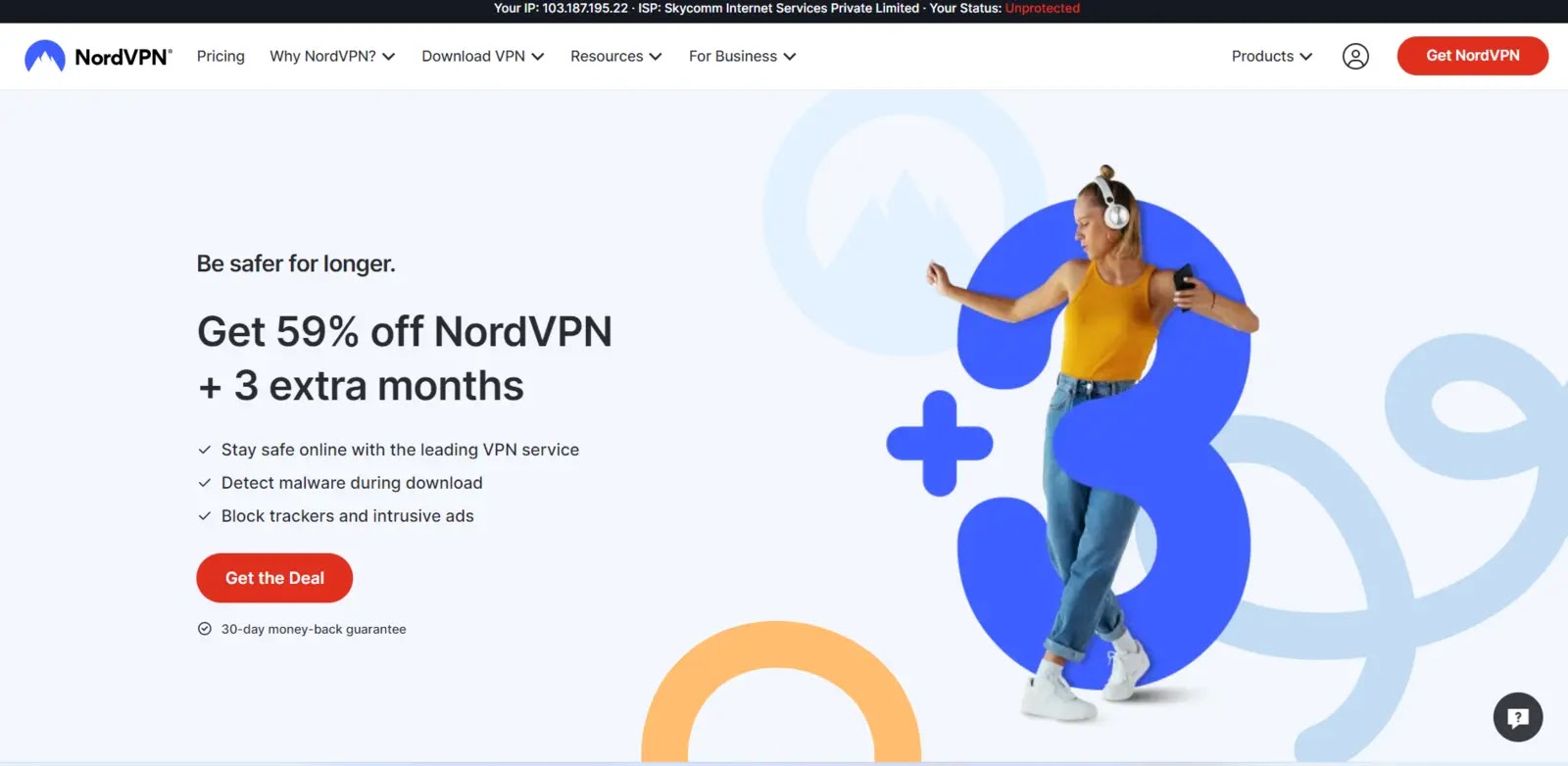
NordVPN, established in 2012 and headquartered in Panama, is a leading VPN provider enabling users to access the internet both securely and privately. It is highly regarded for its robust security infrastructure, extensive global server network, and intuitive user interface. The dedicated Chrome extension for NordVPN ensures that browser traffic remains encrypted and your IP address is concealed.
The “Threat Protection Lite” feature integrated into the extension actively blocks advertisements and malicious websites, enhancing the browsing experience. While the Chrome add-on specifically secures browser traffic, a full NordVPN application provides comprehensive protection for all online activities. NordVPN also offers specialized business VPN solutions with advanced features tailored for organizational needs.
Why We Picked It?
NordVPN’s widespread popularity is a significant factor in its selection. The service is recognized for its excellent encryption standards and ethical handling of user data. With over 5,000 servers spread across 60 countries, NordVPN ensures global availability and reliable connections. Its user-friendly interface makes it accessible and easy to deploy across various devices. NordVPN’s Chrome extension, packed with features, solidifies its position as a major player in the VPN market.
Security and Privacy
The NordVPN Chrome extension encrypts browser activity and masks your IP address, ensuring privacy even on unsecured Wi-Fi networks. This prevents unauthorized access to your browsing history and digital habits. Threat Protection Lite proactively disables access to malware-hosting sites and blocks intrusive ads. The NordVPN proxy add-on also counters WebRTC leaks, which can expose your IP address and make you vulnerable to DDoS attacks and other online threats. With split tunneling, users can customize which websites utilize the VPN connection and which do not. NordVPN’s strict no-logs policy further guarantees that no records of your online activity or personal information are stored.
Customer Support
NordVPN offers comprehensive customer support through 24/7 live chat and a dedicated contact page. The live chat includes a search bar for quick access to solutions or allows users to categorize their issues for targeted assistance. The contact page provides options for the help center, live chat, or email support, ensuring users can resolve problems at any time.
Why Do We Recommend It?
A core strength of NordVPN is its use of Advanced Encryption Standard (AES) with 256-bit keys, the same military-grade encryption employed by government agencies. It also incorporates various security protocols, including OpenVPN and IKEv2/IPSec, for maximum user security. NordVPN offers specialized servers for streaming, P2P file sharing, and a unique Double VPN feature that routes traffic through two servers for enhanced protection. Its strict no-logs policy means no records of online activity are kept. Furthermore, a single NordVPN subscription can secure up to six devices simultaneously, extending protection beyond just Chrome to an entire household.
How to Install It?
To install the NordVPN Chrome extension, visit their official website or the Google Chrome Web Store. Click “Add to Chrome,” and confirm by clicking “Add extension” when prompted. A notification from NordVPN will confirm successful installation. The NordVPN logo will then appear on your browser’s top-right toolbar. Click the logo to log in or create a Nord Account.
How to Configure a VPN?
After installation, clicking the NordVPN extension icon will show either “UNPROTECTED” or “PROTECTED.” The “Quick Connect” option automatically selects and connects to the fastest available server. The extension allows users to manually select a VPN server by country. Account settings include account information, language selection, and split-tunneling preferences. Live chat support is also accessible directly from the extension. Notifications appear in a dedicated area. Under privacy and security, users can enable WebRTC Leaks protection and Threat Protection Lite. Automatic connection and split tunneling can be configured in the VPN settings.
| What is Good? | What Could Be Better? |
|---|---|
| 1. Easy to Use | 1. Limited Functionality (extension only) |
| 2. Encrypted Traffic | 2. Needs subscription |
| 3. Very Secure encryption | |
| 4. AD and Malicious traffic blocker |
Performance and Speed
NordVPN is highly regarded for its excellent performance. While OpenVPN might slightly impact speed, the NordLynx protocol typically delivers optimal performance. Testing demonstrated smooth operation across all security and privacy settings.
Streaming
Streaming is a primary reason many users opt for VPNs, and NordVPN excels in this area. It effectively bypasses geo-restrictions on popular platforms such as Netflix, Disney+, and Amazon Prime Video, providing access to a wide range of content.
Compatibility
NordVPN is compatible with nearly all devices. Its Chrome extension allows users to secure their browser traffic without needing to download the main application, making it highly versatile for cross-platform use.
Number of Servers
NordVPN boasts an extensive network of over 5,000 servers in more than 60 countries, offering users numerous options and ensuring efficient load distribution to prevent bandwidth congestion.
Speed
Consistently ranking among the fastest VPNs, NordVPN ensures minimal drop in internet bandwidth when connected, allowing users to enjoy secure browsing without compromising speed.
Max Connections
A single NordVPN subscription supports simultaneous connections on 6-7 devices, which is a respectable number. For larger groups or organizations, NordVPN’s Business VPN is available.
24/7 Live Chat
Yes, NordVPN provides 24/7 live chat support, enabling customers to receive prompt solutions to their issues.
2. Surfshark

Year: 2018
Location: Netherlands
Surfshark stands out as a top-tier VPN for Chrome, recognized for its user-friendly interface, strong reputation, and excellent customer service. Beyond merely enhancing web privacy, Surfshark empowers users to circumvent various online restrictions imposed by governments, ISPs, workplaces, or educational institutions. Its Chrome extension is particularly effective at breaking through these barriers.
Why We Picked It?
The Surfshark Chrome extension offers several compelling features. Its customer support is among the best in the VPN industry, contributing to its popularity. As a lightweight and intuitive Chrome add-on, Surfshark efficiently secures internet activity. Key features that led to its selection include:
- CleanWeb: This feature actively removes ad trackers, malicious links, and other intrusive elements, ensuring a safer browsing experience.
- Whitelister: Users can create a list of websites that are permitted to bypass the VPN, making it easy to access local content without interruption.
- MultiHop: This advanced feature routes your data through multiple servers, significantly increasing the difficulty of tracing your online activity and enhancing security. While server distance can affect speed, Surfshark mitigates this with over 3,200 servers, some with 10Gbps ports, across 100+ countries, ensuring a nearby server is always available. Users can also opt for automatic connection to the fastest server.
Security and Privacy
As a premium VPN, Surfshark adheres to a strict no-logs policy, meaning no user activity is stored on its servers, unlike many free VPNs. This commitment safeguards user data from potential theft. Surfshark also maintains RAM-only servers, which are designed to wipe all data upon reboot, a crucial feature for top Chrome VPNs. Paid Surfshark subscriptions offer unlimited bandwidth across all devices, a distinct advantage over free alternatives. The Brave Extension can effectively bypass basic firewalls often found in schools, dorms, or workplaces. While Surfshark VPN for Chrome can overcome geo-restrictions, users must ensure their activities comply with all applicable laws and regulations.
Customer Support
Surfshark VPN is highly praised for its responsive customer support, which quickly addresses most user issues, demonstrating a strong commitment to customer satisfaction. They provide 24/7 live chat and email support for all inquiries. Additionally, Surfshark’s website features a comprehensive help center with FAQs, troubleshooting guides, and setup tutorials. The support team consistently goes above and beyond to resolve customer problems.
Why Do We Recommend It?
Surfshark utilizes modern, secure, and fast protocols, leveraging advanced research and development. Its subscription model incorporates various new encryption methods and servers to maintain robust security. Surfshark protects online behavior with AES-256-GCM encryption. A crucial feature is its kill switch, which automatically drops the internet connection if the VPN connection is interrupted, safeguarding user identity and data. Users can enable website safety warnings to receive alerts about breaches. The Cookie pop-up blocker eliminates consent requests and content-obscuring advertisements, providing seamless access to favorite websites.
How to Install It?
First, subscribe to Surfshark. Then, search for “Surfshark” in the Chrome Web Store. Follow the standard installation procedures for a new extension. After installation, click the Surfshark icon and log in using your account credentials. Surfshark requires a login before connecting to any server.
How to Configure a VPN?
Clicking “Connect” or “Quick Connect” on the Surfshark extension automatically establishes a connection to the fastest server, changing the status to “Connected.” The “Locations” section displays numerous servers and countries, allowing users to search for and connect to specific servers by clicking their flag icon. In the “Settings” tab, users can enable CleanWeb to block ads and malicious sites, and toggle the WebRTC blocker to prevent IP and location leaks. Auto-connect can be enabled to automatically connect the extension upon browser launch. The “My Account” section provides access to subscription details, password reset options, and extended login codes.
| What is Good? | What Could Be Better? |
|---|---|
| 1. Ad and tracker blocker | 1. Limited features (extension only) |
| 2. Affordable | 2. Only for browser traffic (extension only) |
| 3. Privacy protection | 3. May slow down browsing speed |
| 4. Servers that run quickly |
Performance and Speed
Surfshark may cause a 5–8% reduction in internet speed, which some users might find disappointing. The browser extension, lacking some features of the full application, can also contribute to slower performance, though overall operation remains satisfactory. Its lightweight design contributes to faster execution and lower RAM usage, particularly on less powerful computers.
Streaming
Surfshark VPN excels in providing a high-quality streaming experience, allowing users to stream HD videos without significant issues and living up to its reputation in this category.
Compatibility
Surfshark is compatible with all Chrome devices and available across various platforms, including Mac and Windows.
Number of Servers
With over 3,200 servers in approximately 100 countries worldwide, Surfshark boasts an extensive server network comparable to other leading VPNs. This broad distribution offers users more choices and helps mitigate traffic congestion by spreading the load across numerous servers.
Speed
In terms of speed, Surfshark VPN might not be the top performer, with users reporting a noticeable speed drop. While the speed is generally average, it may be affected by manually selecting specific locations and servers. Users can rely on the VPN’s auto-connect feature for potentially better speeds.
Max Connections
Surfshark VPN uniquely offers unlimited simultaneous connections on a single account.
24/7 Live Chat
Yes, Surfshark provides 24/7 live chat support to help users resolve issues promptly.
3. ExpressVPN
Year: 2009
Location: British Virgin Islands
ExpressVPN is another highly regarded premium VPN service, offering all the standard features found in top-tier providers but with notably faster speeds. Its Chrome extension, launched in 2016, simplifies connecting to the VPN without requiring the standalone desktop application. Early versions of the add-on provided server selection, connection status, and a kill switch. Over time, the extension has evolved to include advanced functionalities like split tunneling, HTTPS Everywhere, and location spoofing.
Why We Picked It?
ExpressVPN was chosen for its military-grade encryption and impressive speed. Its performance is bolstered by a vast global network spanning over 90 countries. Its reputation as a high-speed VPN alone makes it a top contender for Chrome users. The service utilizes AES-256 encryption, ensuring robust security while optimizing performance. A 30-day money-back guarantee allows users to try ExpressVPN risk-free. These factors, combined with strong user trust, solidify its position on our list of best Chrome VPNs.
Security and Privacy
ExpressVPN employs unbreachable AES-256 encryption. New features such as split tunneling and a kill switch further enhance connection security and privacy. ExpressVPN maintains a rigorous no-logging policy, ensuring that your internet activities are not saved, thereby protecting your data from potential breaches. WebRTC blocking and location spoofing functionalities provide additional layers of privacy and security within the Chrome browser, surpassing typical VPN capabilities. The Google Chrome add-on can also resolve browser errors encountered during video streaming or when accessing restricted sites. ExpressVPN’s global server network ensures private and safe internet connections, with enhanced security measures to prevent unauthorized access. All internet data is encrypted, preventing ISPs and malicious Wi-Fi networks from tracking your online destinations. ExpressVPN also regularly undergoes independent audits to verify its security claims.
Customer Support
ExpressVPN offers a variety of customer service options to ensure users always have access to support. These include 24/7 live chat for immediate assistance, email support with typically quick response times, and an extensive online support center featuring FAQs, troubleshooting guides, and setup instructions. For complex issues, remote desktop support may be provided. Users consistently praise ExpressVPN’s customer service for its responsiveness, expertise, and willingness to assist with any concerns.
Why Do We Recommend It?
ExpressVPN’s encryption technology is designed to keep users safe online. The Google Chrome extension allows for location spoofing and direct control over the VPN. ExpressVPN is committed to widespread protection, offering its Google Chrome VPN add-on in 17 languages. It prevents websites from seeing your true IP address and location, and its WebRTC blocking feature counters potential IP leaks. By locking your location, safeguarding your identity, and offering anonymous browsing, the ExpressVPN Chrome extension ensures a secure online experience.
How to Install It?
To leverage the full benefits of the Google Chrome browser extension, including WebRTC blocking, location spoofing, and HTTPS Everywhere, users should first subscribe to ExpressVPN if they haven’t already. Then, download the ExpressVPN Chrome extension. Once installed, simply click the ExpressVPN extension icon and toggle the “On” button to connect.
How to Configure a VPN?
To configure your ExpressVPN extension, first ensure you have an ExpressVPN account. Install the ExpressVPN add-on from the Chrome Web Store. Click the extension icon, then log in with your ExpressVPN credentials. A window will display various countries and servers; select your desired location and click “Connect.” For advanced settings, click “Options” to configure features like auto-connect, kill switch, and split tunneling.
| What is Good? | What Could Be Better? |
|---|---|
| 1. Multiple locations | 1. Limited features (extension only) |









No Comment! Be the first one.