




Android Spyware Platform Lets Buyers Rebrand and Resell Malware
Key Takeaways A new Android spyware platform, “KidsProtect,” is being openly marketed online, disguised as a parental monitoring application. The platform’s most dangerous feature...

Key Takeaways
- A new Android spyware platform, “KidsProtect,” is being openly marketed online, disguised as a parental monitoring application.
- The platform’s most dangerous feature is its white-label reseller model, allowing buyers to rebrand and resell the malware, significantly complicating law enforcement efforts to disrupt its operations.
- KidsProtect operates stealthily on Android 7 and newer, gaining extensive permissions to monitor device activities, including location, audio, SMS, calls, and screen content.
- The spyware employs multiple evasion techniques, such as masquerading as system services and disabling Google Play Protect, making detection and uninstallation difficult for average users.
Android Spyware Platform Offers Rebranding for Resale, Evading Detection
A sophisticated new Android spyware platform, dubbed “KidsProtect,” has emerged on the dark web, offering extensive surveillance capabilities alongside a perilous feature: the ability for purchasers to rebrand and resell the malware as their own product. This innovative business model poses a significant challenge to cybersecurity defenders and law enforcement agencies, as it allows for rapid re-emergence under new identities even after takedowns.
Table Of Content
While the core functionalities of KidsProtect are alarming, enabling comprehensive monitoring of target devices, its true threat lies in this white-label distribution. For a fee, individuals or groups can acquire the platform, customize it with their own branding and pricing, and then market it as a proprietary solution. This strategy is designed to create a resilient network of operators, making it exceedingly difficult for authorities to dismantle the entire operation by merely targeting individual sellers.
The platform presents itself deceptively as a parental monitoring tool, but its true purpose is covert surveillance. Once installed, KidsProtect runs silently in the background, granting the operator full, undetected control over the victim’s Android smartphone. The spyware supports Android 7 and newer versions, with claims of compatibility up to Android 16, and is available on a subscription basis starting at $60. The additional white-label package is what enables buyers to create their own branded surveillance businesses.
Unveiling KidsProtect’s Modus Operandi
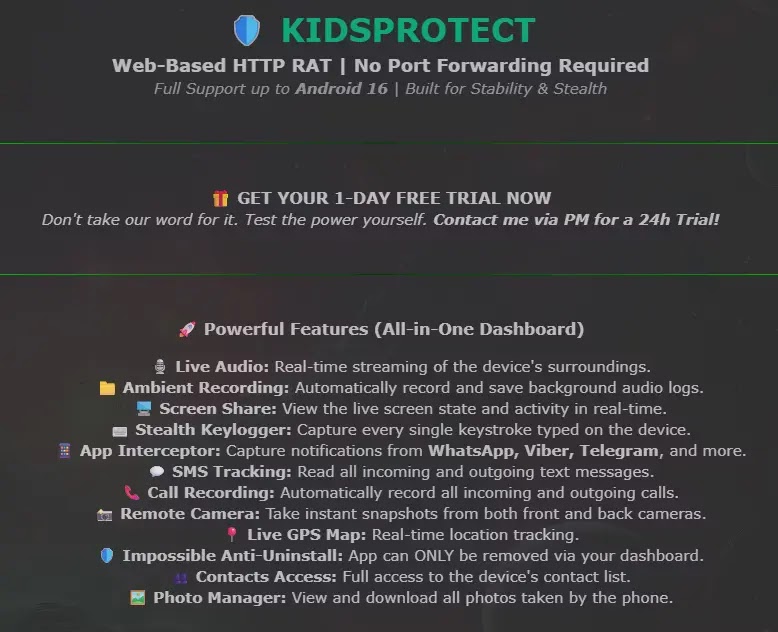
Analysts at Certo identified KidsProtect being advertised on a clear-web hacking forum, a move that starkly contradicts its purported child safety mission. The forum listing openly promoted the tool for its “Stability and Stealth,” even offering a one-day free trial to attract potential buyers. Evidence from the forum profile and in-app screenshots suggests the developer is Greek-speaking.
This reseller model directly undermines previous enforcement successes. For example, in 2024, a New York court ordered the shutdown of prominent stalkerware platforms PhoneSpector and Highster Mobile. The KidsProtect model is engineered to negate such victories, allowing dozens of new, rebranded iterations to surface quickly, diminishing the long-term impact of legal actions.
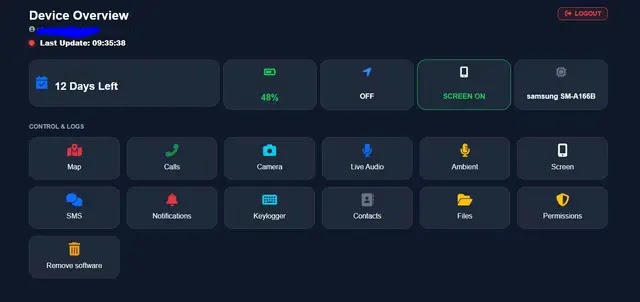
The marketing copy for KidsProtect, as observed by Certo, makes little effort to conceal its true intentions, focusing on its stealth and control features rather than any genuine parental safety benefits.
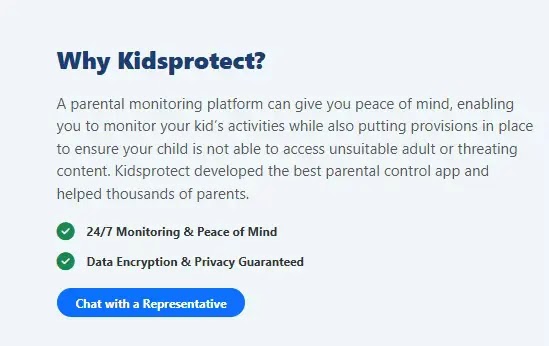
Stealth and Persistence Mechanisms
KidsProtect is meticulously designed to remain hidden from users. Upon installation, it avoids displaying its actual name. Instead, it appears as benign system processes such as “WiFi Service” or “WiFiService Installer.” Its accessibility service is labeled “WiFiService Assistant,” and its notification listener as “WiFiService Monitor,” all crafted to blend in as harmless system components. This makes it challenging for non-technical users to identify the malicious application.
A glaring red flag for security professionals is the app’s package name: com.example.parentguard. The “com.example” prefix is typically used for placeholder code in tutorials, rarely appearing in legitimate commercial software. This deliberate choice strongly suggests an attempt by the developers to obscure their identity and avoid traceability within the application itself.
Certo researchers conducted an analysis of the KidsProtect APK file, confirming its request for an extensive array of Android permissions. These include, but are not limited to, ACCESS_BACKGROUND_LOCATION, RECORD_AUDIO, CAMERA, READ_SMS, READ_CALL_LOG, and READ_CONTACTS. Critically, the app abuses Android’s Accessibility Service permission, which enables it to read all on-screen content and intercept typed passwords, granting attackers complete visibility and control over the device.
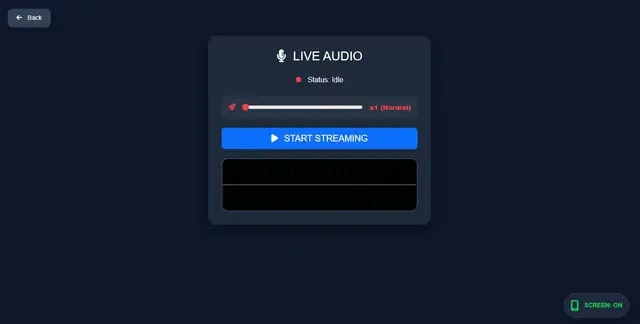
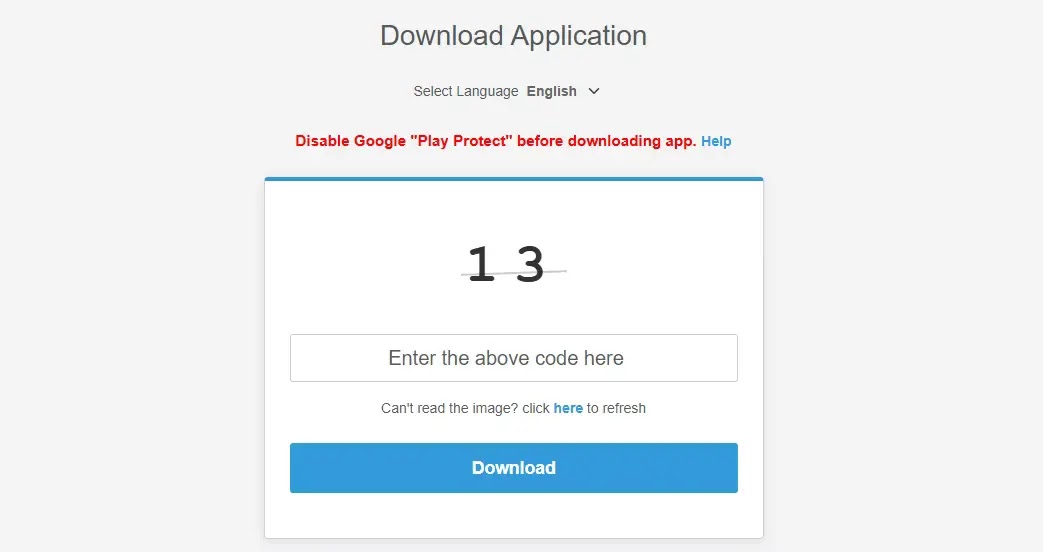
To ensure persistence, KidsProtect requests SYSTEM_ALERT_WINDOW and REQUEST_IGNORE_BATTERY_OPTIMIZATIONS permissions, preventing Android from terminating its processes for power saving. A BootReceiver component ensures the spyware restarts automatically with every device reboot. Furthermore, it registers as a Device Administrator via MyDeviceAdminReceiver, making it virtually impossible to uninstall through standard phone settings. Its download page explicitly instructs users to disable Google Play Protect before installation, a clear indication that the application would otherwise be flagged as malicious by Android’s built-in security features.
What You Should Do
- Always keep Google Play Protect enabled on your Android device. It provides a crucial layer of defense against malware.
- Never install APK files from untrusted sources outside the official Google Play Store. Side-loading apps significantly increases your risk of infection.
- Exercise extreme caution when any app requests Accessibility Service access. This permission grants extensive control and should only be given to trusted applications with a clear, legitimate need.
- Regularly review the list of Device Administrators in your Android security settings. Immediately disable and uninstall any unauthorized or suspicious entries.
- If you detect the package name
com.example.parentguardon your device, consider it a confirmed infection. Take immediate steps to remove it and secure your device.
Indicators of Compromise:
Package Name: com.example.parentguard
SHA-256 Hashes:
- 9864db6b5800d9e03b747c46fdef988e035cadde83077a41c5610d5d89f753a0
- 1b1d9b260deec0c612ec67579fd36fec7722b2b8446ab32284a08f44f4ea64da
- f4e9733d93ce35ecd3c83f18addf77f8ff49444d09847eaeef9c8e87837d0165
- 17817d9e29920493bb20ed626c3026e3c29eb6f1d56ef9462c306066ce2ad171
- f0d01b28ddfdbefe0697994a6b30f2b8a4e39ef1ad6c9427b921b2ccd945a8c5
Disclaimer: HackersRadar reports on cybersecurity threats and incidents for informational and awareness purposes only. We do not engage in hacking activities, data exfiltration, or the hosting or distribution of stolen or leaked information. All content is based on publicly available sources.









No Comment! Be the first one.