



MacSync macOS Stealer Targets Users With Fake Claude Guide
Key Takeaways A new macOS stealer, dubbed MacSync, is actively targeting users through deceptive online guides for installing the Claude AI assistant. The attack leverages paid search results and a...

Key Takeaways
- A new macOS stealer, dubbed MacSync, is actively targeting users through deceptive online guides for installing the Claude AI assistant.
- The attack leverages paid search results and a fake installation guide hosted on a legitimate Claude sharing platform to trick victims into executing malicious commands in Terminal.
- MacSync steals a broad range of sensitive data, including browser sessions, saved passwords, cloud keys, SSH credentials, Telegram sessions, and specifically targets cryptocurrency wallet data and recovery phrases.
- Beyond initial data theft, the malware installs a persistent remote access tool (RAT) capable of executing commands, transferring files, and capturing screenshots.
- The campaign highlights the increasing risk of supply chain attacks and social engineering tactics targeting popular software and AI tools.
macOS users seeking to install the Claude AI assistant are falling victim to a sophisticated information-stealing malware campaign. This operation utilizes sponsored search results and a convincing, but fake, installation guide hosted on a legitimate Claude sharing page to deceive users into initiating the MacSync stealer.
Table Of Content
Instead of exploiting software vulnerabilities, the attackers rely heavily on social engineering. They capitalize on users’ trust in familiar domains and the perceived legitimacy of a detailed installation guide, leading victims to paste a seemingly innocuous command into their Terminal. This action, however, triggers a multi-stage infection process that can lead to the theft of critical personal and financial data.
The consequences of this attack are severe, encompassing the compromise of browser sessions, stored passwords, cloud service keys, and cryptocurrency wallet information. Security researchers at Huntress said in a report that their analysts uncovered the MacSync malware in mid-July while investigating a macOS intrusion. The report details MacSync’s six-stage attack chain, which integrates credential theft, remote access capabilities, screen capture, and specialized phishing tactics targeting crypto wallets.
This incident mirrors other malicious advertising campaigns, particularly those involving fake Google ads, where sponsored search results redirect unsuspecting users to malware delivery sites rather than legitimate software downloads.
MacSync is designed to exfiltrate a wide array of sensitive data. This includes saved browser logins, cookies, macOS Keychain data, Telegram session files, SSH keys, and various cloud service credentials. A significant focus of the malware is on cryptocurrency theft, targeting both browser-based wallet extensions and standalone desktop wallet applications. The persistent remote access component further exacerbates the risk, allowing attackers continued control over compromised systems, potentially leading to long-term access to personal and business resources. The theft of a cryptocurrency wallet’s recovery phrase, a key objective of MacSync, grants attackers irreversible control over digital assets.
MacSync macOS Stealer Uses Fake Claude Guide
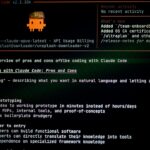
The attack begins when a user searches Google for “Claude Mac installation” or similar terms. Attackers purchase sponsored search results that appear prominently, directing users away from official sources. Clicking on this malicious ad leads the victim to a public Claude conversation page, meticulously crafted to resemble an official Apple Support guide.
This deceptive guide instructs users to open the Terminal application and execute a Base64-encoded curl command. This method of delivery, where users are prompted to paste obfuscated commands, has been observed in other Claude artifact ad attacks.
Executing the curl command downloads a loader, which then retrieves the subsequent stages of the attack. This loader notably calls a remote AppleScript directly into memory, a technique designed to minimize forensic evidence on the compromised device. A critical step in the attack involves a prompt for the victim to grant Terminal Full Disk Access, which, if approved, provides the malware with access to protected areas containing sensitive browser and system data.
After gaining Full Disk Access, the AppleScript displays a fake system prompt, persistently requesting the macOS account password until a valid credential is entered. With this access, MacSync harvests a trove of data, including browser cookies, saved login credentials, keychain secrets, cloud and developer configuration files, and Telegram session data. All this stolen information is then compressed and prepared for exfiltration to attacker-controlled servers, with temporary files subsequently deleted to cover tracks.
The MacSync threat extends beyond a one-time data extraction. It establishes a persistent remote-access tool (RAT) on the infected system. This RAT grants attackers the ability to execute arbitrary commands, transfer files to and from the machine, and capture screenshots, all after obtaining the necessary permissions. This persistence mechanism is reminiscent of malicious ad-delivered backdoors, transforming a seemingly benign download into a persistent compromise.
Wallet Theft Raises Stakes
A particularly concerning aspect of MacSync is its specialized functionality for cryptocurrency theft. The stealer actively scans for data associated with approximately 60 different browser-based wallet extensions and 21 desktop wallet applications. Its capabilities extend to identifying specific hardware wallet companion applications, where it can replace the legitimate versions with trojanized counterparts. These altered applications appear normal when launched by the user.
These trojanized wallet applications then initiate a fake recovery process, designed to trick victims into entering their wallet’s seed phrase. This critical recovery phrase is immediately transmitted to attacker-controlled servers. Regardless of whether the phrase transfer is successful, the malicious application then redirects the user back to the genuine wallet interface. The theft of a seed phrase is catastrophic, as it grants attackers complete and irreversible control over the associated cryptocurrency wallet and all its contents.
What You Should Do
- Download Software from Official Sources Only: Always obtain software directly from the vendor’s official website. Be wary of sponsored search results, shared AI conversations, or third-party support posts that offer installation guides or downloads, and verify their legitimacy before proceeding.
- Never Paste Unverified Commands: Do not paste commands into your Terminal application if instructed by a web page, especially if the source is not explicitly trusted and verified. Such commands can execute malicious code without your full understanding.
- Scrutinize Permission Requests: Pay close attention to any unexpected “Full Disk Access” prompts during software installation or use. Granting this permission to an untrusted application can expose your entire system to compromise, as highlighted by <a href="https://ppl-ai-file-upload.s3.amazonaws.com/web/direct-files/attachments/11146061/7f25076e-7444-4b02-bb23-6c0a46bc43dc/MacSync-macOS-Stealer-Uses-Fake-Claude-Guide-to-Steal-Passwords-and-Crypto-Wallets.pdf?AWSAccessKeyId=ASIA2F3EMEYEXG4RNK32&Signature=wEb5n1G6XJxJPzAZlsa4HxsJYYs%3D&x-amz-security-token=IQoJb3JpZ2luX2VjECYaCXVzLWVhc3QtMSJHMEUCIQCpW4NyZH0OX3gCLtd7gMvWrs5IIYFgVQP2X7QUr3bQfgIgW5NJUOPbJGv8lAPazfjvL8ELSNOoimrRBgdcdWMY4y8q%2FAQI7%2F%2F%2F%2F%2F%2F%2F%2F%2F%2F%2FARABGgw2OTk3NTMzMDk3MDUiDLO6RbGdhKD71cO4dirQBNNpUEyqDgMEGiKdgZO%2FF%2F7dLkkaS6H8KU8yERKyWpbUbE8or836VkOHviXE%2F6vC1XIz%2Brcp4WmLtrKRJ5TrYltWk5o0xKnk9Pobs%2FgplSekwr11gmcDhzgc8EPBJ%2FvmyqleQA110Vqh3fq0y2tudmxsCRys1TPf3IXnrcYYYBaey7L3nFly%2BduY4NKW6WCWr8jVsxWS4YM%2BZlipS6V6Sqd%2BfR8VIbI1uQyAQyETnzIbq%2B2%2FRziiVVo1hrxPmxeRJ%2BoVPnf1Icp5czuHRHvwdaPrWeFeQtJBkAVNfz%2FhLC4N6SVvLj13C1mi9zW4FZplKJDx%2B5QjKMuNZgIucyZuda%2B0vLrFD7c1ntSLl3Wox%2By9XXIvIO4zMICOM
Disclaimer: HackersRadar reports on cybersecurity threats and incidents for informational and awareness purposes only. We do not engage in hacking activities, data exfiltration, or the hosting or distribution of stolen or leaked information. All content is based on publicly available sources.







No Comment! Be the first one.