



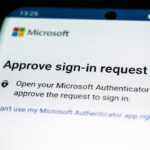
AI-powered Forg365 Phishing Platform Targets Microsoft 365 Accounts
Key Takeaways A sophisticated phishing-as-a-service (PhaaS) platform named Forg365 is actively targeting Microsoft 365 accounts. Forg365 leverages AI for generating convincing phishing lures and...

Key Takeaways
- A sophisticated phishing-as-a-service (PhaaS) platform named Forg365 is actively targeting Microsoft 365 accounts.
- Forg365 leverages AI for generating convincing phishing lures and employs both device-code and Adversary-in-the-Middle (AiTM) techniques to bypass multi-factor authentication.
- The platform offers a comprehensive suite of tools for attackers, including session theft, token storage, and post-compromise mailbox access, available via a subscription model on Telegram.
- Detection can be aided by monitoring Microsoft Entra logs for specific activity, including unusual device registrations and device-code sign-ins.
Forg365: A New AI-Powered Phishing-as-a-Service Threat to Microsoft 365
A new, highly advanced phishing-as-a-service (PhaaS) platform, dubbed Forg365, has emerged, posing a significant threat to Microsoft 365 users. This platform integrates artificial intelligence to craft persuasive phishing campaigns, facilitate session theft, and enable persistent access to compromised mailboxes, all managed through a centralized operator panel.
Table Of Content
Forg365 is reportedly disseminated through Telegram, where cybercriminals can subscribe to its services. Options include a 30-day trial, a monthly fee, or an annual plan. This subscription-based model underscores a growing trend in cybercrime, where sophisticated attack infrastructure is productized, allowing less technically skilled threat actors to deploy advanced campaigns without building tools from the ground up. Subscribers gain access to pre-built templates, email sending functionalities, token storage, and AI-generated phishing content.
Dual Attack Methods: Device-Code and AiTM Phishing
Forg365 supports two primary attack methodologies: device-code phishing and Adversary-in-the-Middle (AiTM) phishing.
In a device-code attack, victims encounter what appears to be a legitimate Microsoft verification page. They are prompted to input a code through an authentic Microsoft sign-in process. While the Microsoft page itself is genuine, the entered code grants the attacker control over a session. This method is particularly insidious as it circumvents traditional password-centric security measures, as direct password theft is not required.
The AiTM component operates by inserting a malicious phishing page between the target user and Microsoft’s authentic authentication services. Upon successful login by the victim, the Forg365 platform intercepts and captures critical session information, including authentication tokens and browser cookies.
Advanced Evasion and Lure Generation Capabilities
To evade detection by security systems, Forg365 incorporates anti-bot and cloaking features. Researchers have observed instances where traffic originating from VPN networks was redirected to benign decoy websites, preventing security scanners from accessing the actual phishing content.
A key differentiator for Forg365 is its integrated AI capabilities. The platform includes an in-panel tool designed for generating highly convincing phishing emails and lures. This allows criminals to produce authentic-looking business documents, invoices, voicemail notifications, or password reset requests directly within the platform, eliminating the need for external AI tools and streamlining the attack process.
Beyond AI-powered lure generation, the Forg365 panel offers a suite of features to enhance campaign effectiveness. These include SMTP rotation for email delivery, campaign scheduling, customizable redirect links, the use of encrypted SVG files, and templates designed to impersonate popular services such as SharePoint, OneDrive, DocuSign, and Adobe Acrobat Sign.
Post-Compromise Persistence and Reconnaissance
Forg365’s capabilities extend far beyond the initial compromise. Its “Token Vault” feature securely stores captured authentication tokens. Furthermore, tools like “Account Intel,” mailbox search functionalities, keyword monitoring, and viewer links enable attackers to thoroughly examine and exploit compromised inboxes. A dedicated browser extension, “ForgCookie,” reportedly ensures persistent browser-based access by automatically refreshing Microsoft single sign-on cookies, even after a victim has re-authenticated.
According to ZeroBEC, researchers have successfully linked Forg365 activity to specific events within Microsoft Entra device-code logs, suspicious Microsoft Graph access patterns, and anomalous device registrations. Notably, some newly registered devices associated with Forg365 campaigns were found to have names beginning with “Forg365,” providing a clear indicator for detection.
Investigations also pinpointed campaign-related infrastructure hosted in Kyiv, Ukraine, and observed traffic from a Comcast/Xfinity address during device-code activity.
While Forg365 shares operational similarities with other Microsoft-focused phishing services such as Kali365 and Sneaky FA, there is no definitive evidence to suggest shared operators. Instead, Forg365 appears to be part of an expanding ecosystem of commercial identity-phishing services that combine token theft, AiTM attacks, AI-driven lures, and robust persistent access mechanisms. Organizations are strongly advised to limit device-code authentication to scenarios where it is absolutely essential.
What You Should Do
- Restrict Device-Code Authentication: Limit the use of device-code authentication to only those instances where it is absolutely required within your organization.
- Monitor Microsoft Entra Logs: Regularly scrutinize Microsoft Entra logs for suspicious activities, including:
- Unusual device-code sign-ins.
- Anomalous Microsoft Authentication Broker activity.
- Suspicious access patterns to Microsoft Graph.
- New device registrations, especially those with unusual naming conventions (e.g., starting with “Forg365”).
- Any suspicious non-interactive sessions.
- Revoke Sessions and Refresh Tokens: In the event of a suspected compromise, prioritize revoking all active sessions and refreshing authentication tokens. Simply changing a password may not be sufficient to remove an attacker’s persistent access.
- Implement Strong MFA: Ensure robust multi-factor authentication (MFA) is enforced across all Microsoft 365 accounts, though be aware that sophisticated PhaaS platforms like Forg365 are designed to bypass some MFA implementations.
- Employee Training: Conduct regular security awareness training for employees, educating them about phishing techniques, particularly those involving device-code and AiTM attacks, and the importance of verifying login requests.
Disclaimer: HackersRadar reports on cybersecurity threats and incidents for informational and awareness purposes only. We do not engage in hacking activities, data exfiltration, or the hosting or distribution of stolen or leaked information. All content is based on publicly available sources.









No Comment! Be the first one.